

Monthly Earnings Report
1. What is the Monthly Earnings Report?
A new feature that lets you download a detailed report of your monthly TikTok Shop earnings.- Includes commissions, rewards, bonuses, and deductions
- Helps you prepare invoices and file VAT/income tax with local authorities
- Reports are available as Excel files
2. Who can use it?
- Available for EU & UK creators with TikTok Shop earnings
- Reports are generated automatically each month
3. When are reports available?
- Reports are generated by the 7th of each month (UTC+0)
- Covers earnings from the previous calendar month
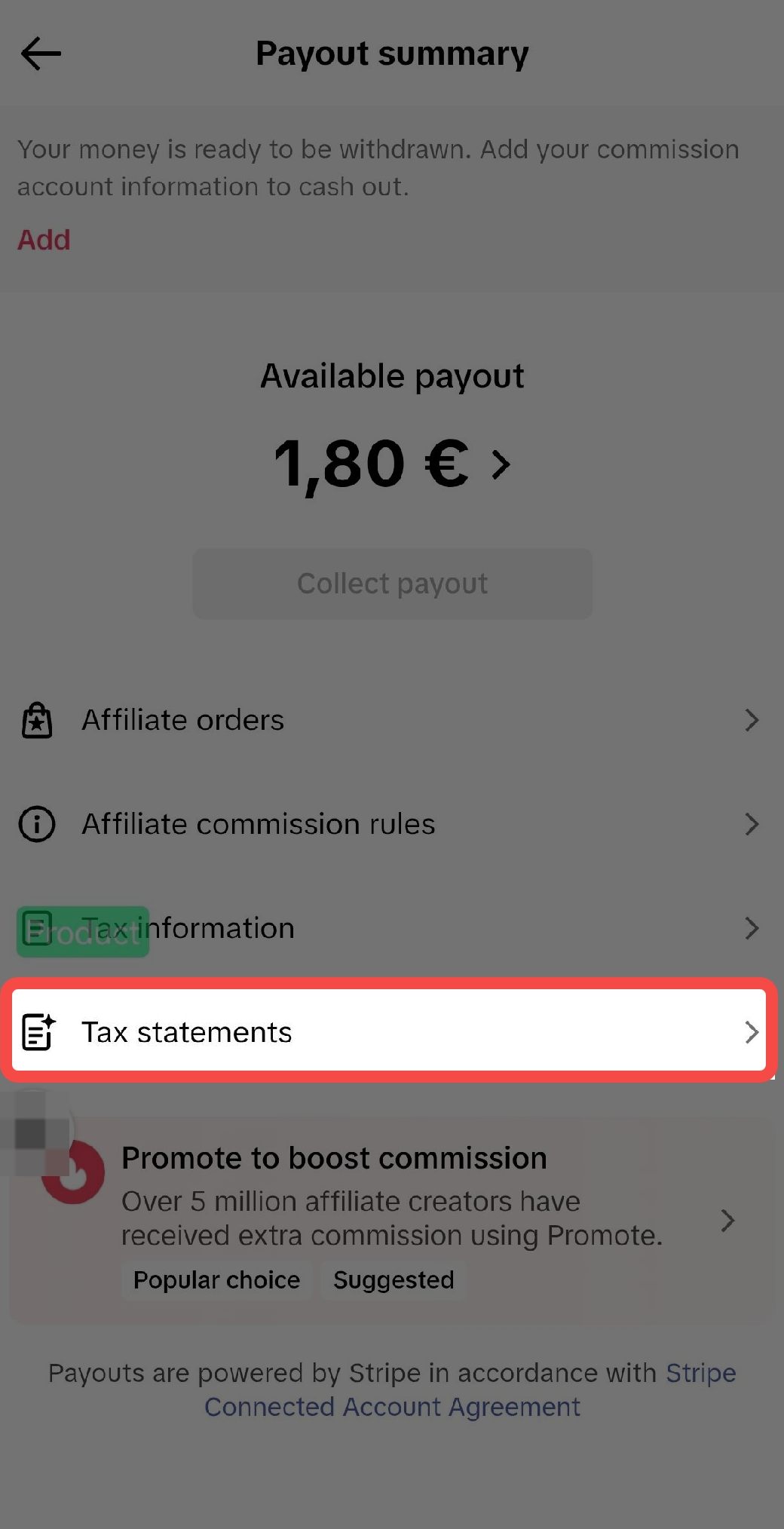
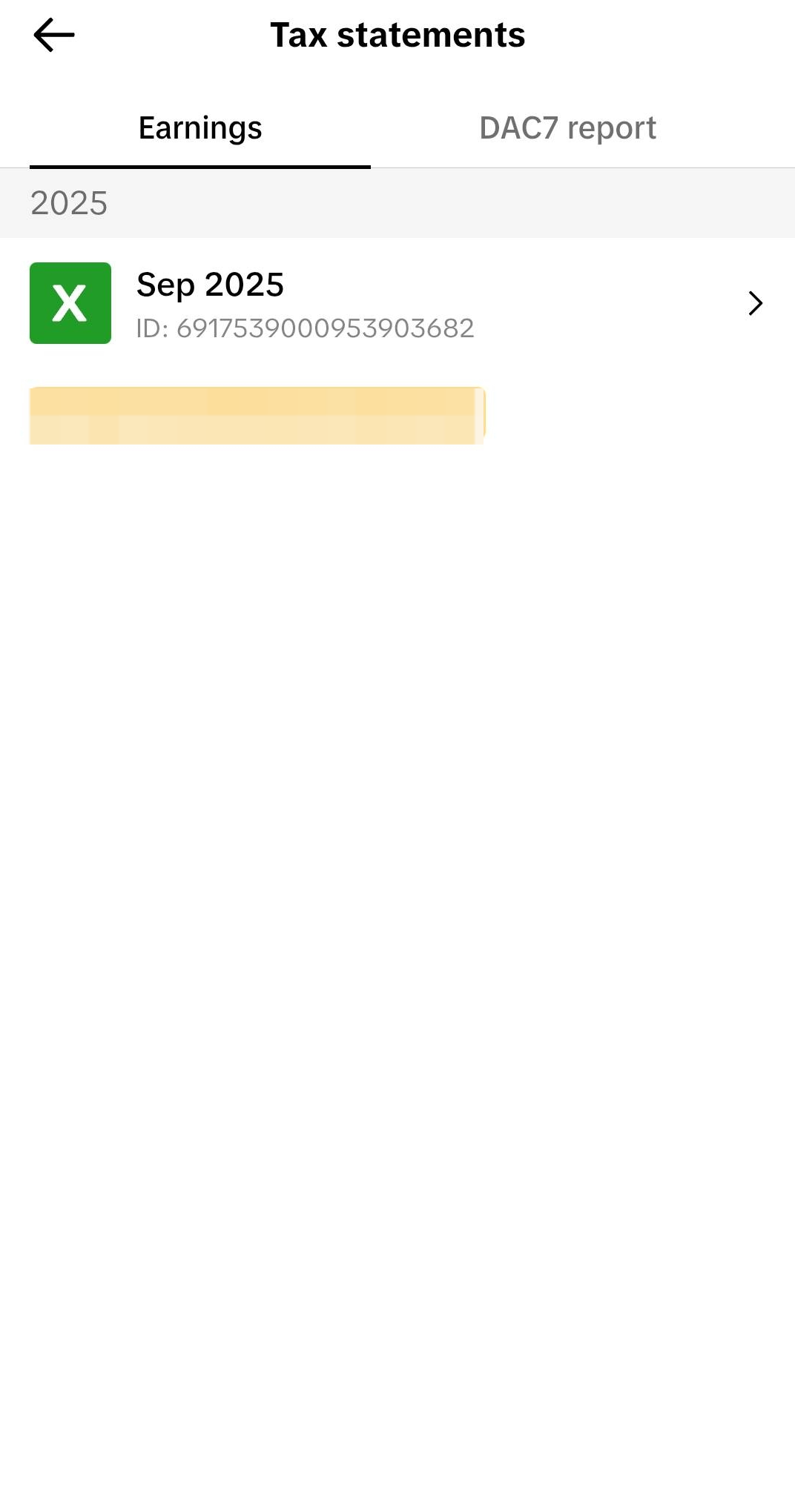
4. How to access your report
- Go to Creator Center → Earnings → Tax files → Earnings report
- Select the report month
- Click Download to save the file (Excel format)
 |  |
5. What’s inside the report?
- Transaction details: date, amount, type of earning
- Types of earnings: affiliate commission, ads commission, commission boost, rewards, deductions
- Payer details: name, country, billing address, VAT number (if available)
6. Why is this useful?
- Use the VAT details available in the report to issue invoices to sellers (based on information sellers provided to TikTok Shop)
- Prepare your VAT and income tax filings more easily
- Track your monthly earnings in detail, beyond the yearly summaries
7. FAQs
Q: Does the report include withdrawals? A: No. Withdrawals are separate from transaction-level data.Q: Can I see reports from before launch? A: No, only reports generated after launch are available.
Q: What if I can’t download my report? A: Retry later; if it fails again, contact Creator Support.
Q: Does the report include sample orders? A: No. Sample orders are not included in the monthly earnings report. Please go to Order Center → Samples to find detailed information about your sample orders.
Q: Are the amounts shown VAT-inclusive? A: Yes. All amounts are VAT-inclusive (where VAT applies). Please confirm your VAT obligations before using them in invoices or tax filings.